第一个开发者功能
功能描述
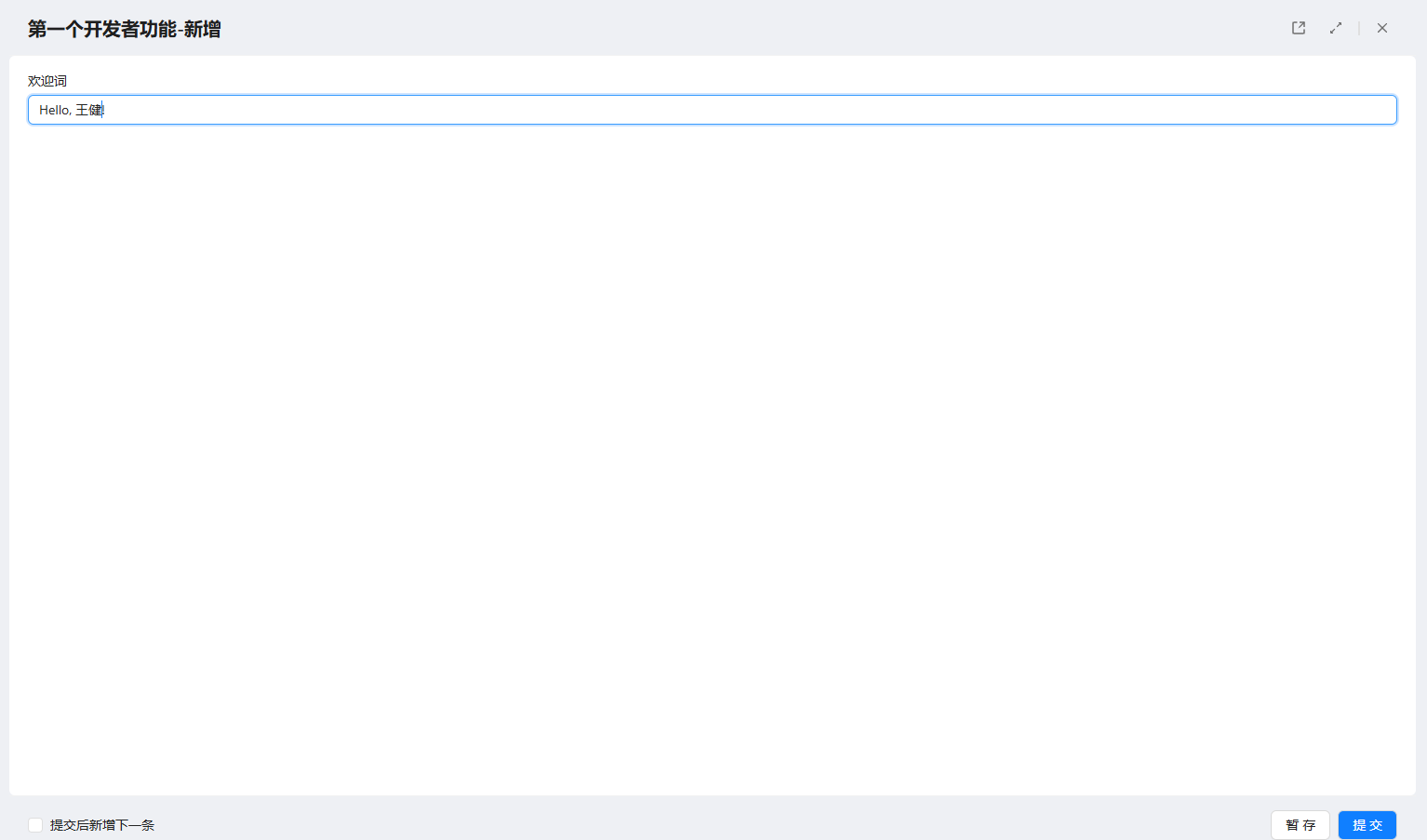
创建名为第一个开发者功能的表单,添加单行文本控件。在新增数据模式下,将字符串"Hello + 当前登录用户名称"赋值至该控件。
表单前端代码
表单加载时,通过环境参数判断当前处于新增数据模式,发起请求获取当前登录用户姓名。组合欢迎词后通过SetValue方法赋值至文本控件。
/* 控件接口说明:
 * 1. 读取控件: this.***,*号输入控件编码;
 * 2. 读取控件值: this.***.GetValue();
 * 3. 设置控件值: this.***.SetValue(???);
 * 4. 绑定控件值变化事件: this.***.BindChange(key,function(){}),key 定义唯一方法名;
 * 5. 解除控件值变化事件: this.***.UnbindChange(key);
 * 6. CheckboxList、DropDownList、RadioButtonList: $.***.AddItem(value,text),$.***.ClearItems();
 */
/* 公共接口:
 * 1. ajax:$.SmartForm.PostForm(actionName,data,callBack,errorBack,async),
 *          actionName: 提交的 ActionName; data: 提交数据; callback: 回调函数; errorBack: 错误回调; async: 是否异步;
 * 2. 打开表单:$.IShowForm(schemaCode, objectId, checkIsChange),
 *          schemaCode: 表单编码; objectId: 表单数据 ID; checkIsChange: 关闭时是否感知变化;
 * 3. 定位接口:$.ILocation();
 */

// 表单插件代码
$.extend($.JForm,{
    // 加载事件
    OnLoad:function(){
        debugger;
        const parent = this;
        if($.SmartForm.ResponseContext.FormMode == 2)
        {
            $.SmartForm.PostForm("GetCurrentUserName",
            {},
            function(data){
                if(!data.Successful && data.Errors){
                    $.IShowError(data.Errors[0]);
                    return;
                }
                if(data.ReturnData){
                    const currentUserName = data.ReturnData.CurrentUserName; //CurrentUserName 为后端 ReturnData 返回的 Key
                    parent.F0000001.SetValue("Hello, " + currentUserName + "!");
                }
                console.log(data);
            },
            function(error){

            },
            true);
        }
    },

    // 按钮事件
    OnLoadActions:function(actions){
    },

    // 提交校验
    OnValidate:function(actionControl){
        return true;
    },

    // 提交前事件
    BeforeSubmit:function(action, postValue){
    },

    // 提交后事件
    AfterSubmit:function(action, responseValue){
    }
});
表单后端代码
通过当前用户上下文this.Request.UserContext获取登录用户信息,使用ReturnData中指定键名CurrentUserName返回至前端。
using System;
using System.Collections.Generic;
using System.Text;
using H3;

public class D00018smf8af031d9db441adbd97f23039792875 : H3.SmartForm.SmartFormController
{
    public D00018smf8af031d9db441adbd97f23039792875(H3.SmartForm.SmartFormRequest request) : base(request)
    {
    }

    protected override void OnLoad(H3.SmartForm.LoadSmartFormResponse response)
    {
        base.OnLoad(response);
    }

    protected override void OnSubmit(string actionName, H3.SmartForm.SmartFormPostValue postValue, H3.SmartForm.SubmitSmartFormResponse response)
    {
        if(actionName == "GetCurrentUserName")
        {
            if(response.ReturnData == null)
            {
                response.ReturnData = new Dictionary<string, object>();
                // 获取当前登录用户姓名
                string currentUserName = this.Request.UserContext.User.Name;
                // 返回前端,指定 Key 为 CurrentUserName
                response.ReturnData["CurrentUserName"] = currentUserName;
                // 不执行后续代码,直接返回
                return;
            }
        }
        base.OnSubmit(actionName, postValue, response);
    }
}
实现效果